Set the context
Review the clip, add a brief scene note, and let Curator Studio understand what matters in the footage.
Premium Metadata Workflow for BlackBox Contributors
Stronger metadata for your BlackBox clips. Full control, faster curation, better sales.
Free plan available. No credit card required.
One-minute walkthrough
Follow the complete workflow, from preparing a batch to AI-assisted metadata, review, export, and BlackBox video delivery.
Workflow
A few deliberate steps and a short scene note give Curator Studio the context it needs to suggest titles, descriptions, keywords, and categories that are more relevant to the clip.
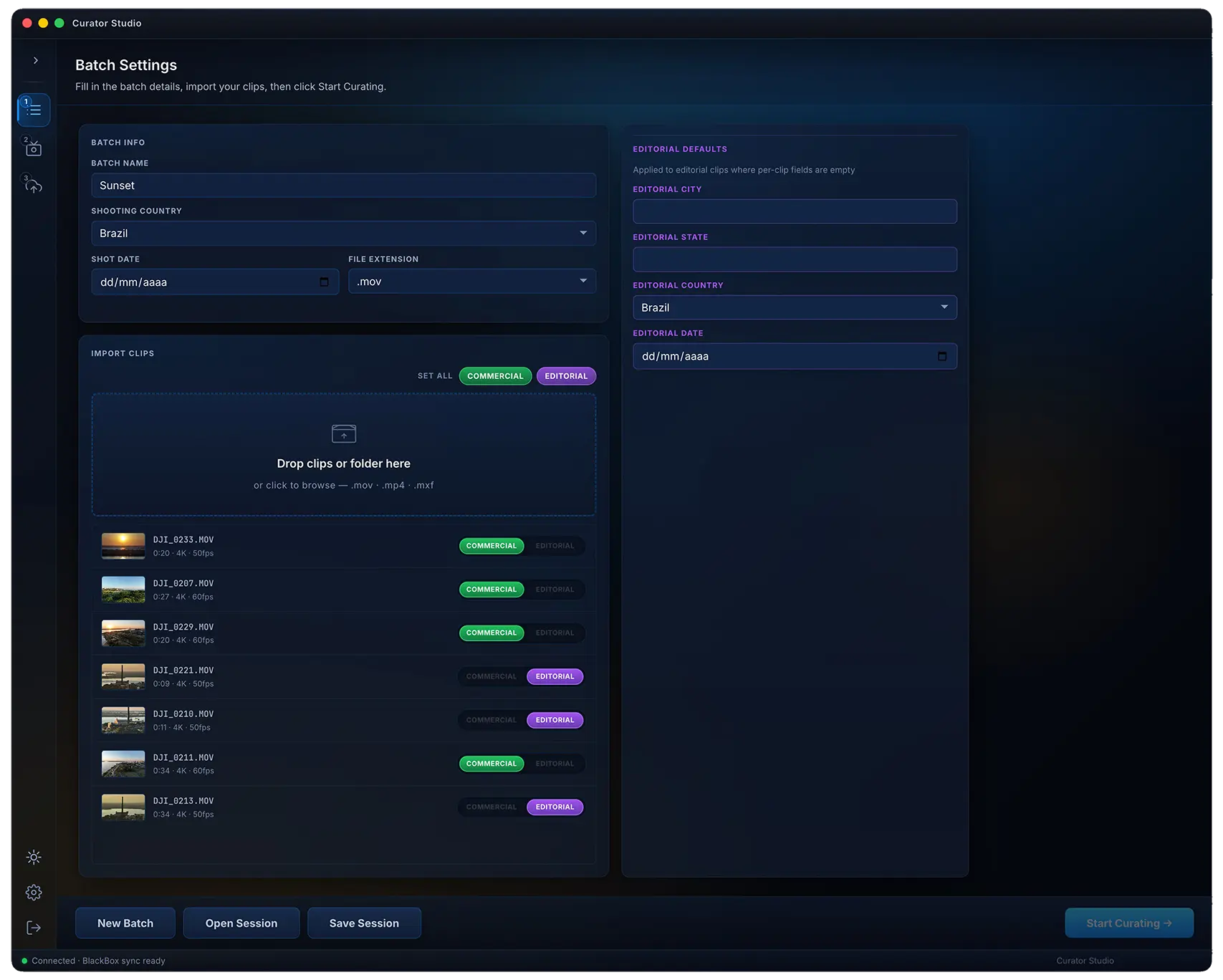
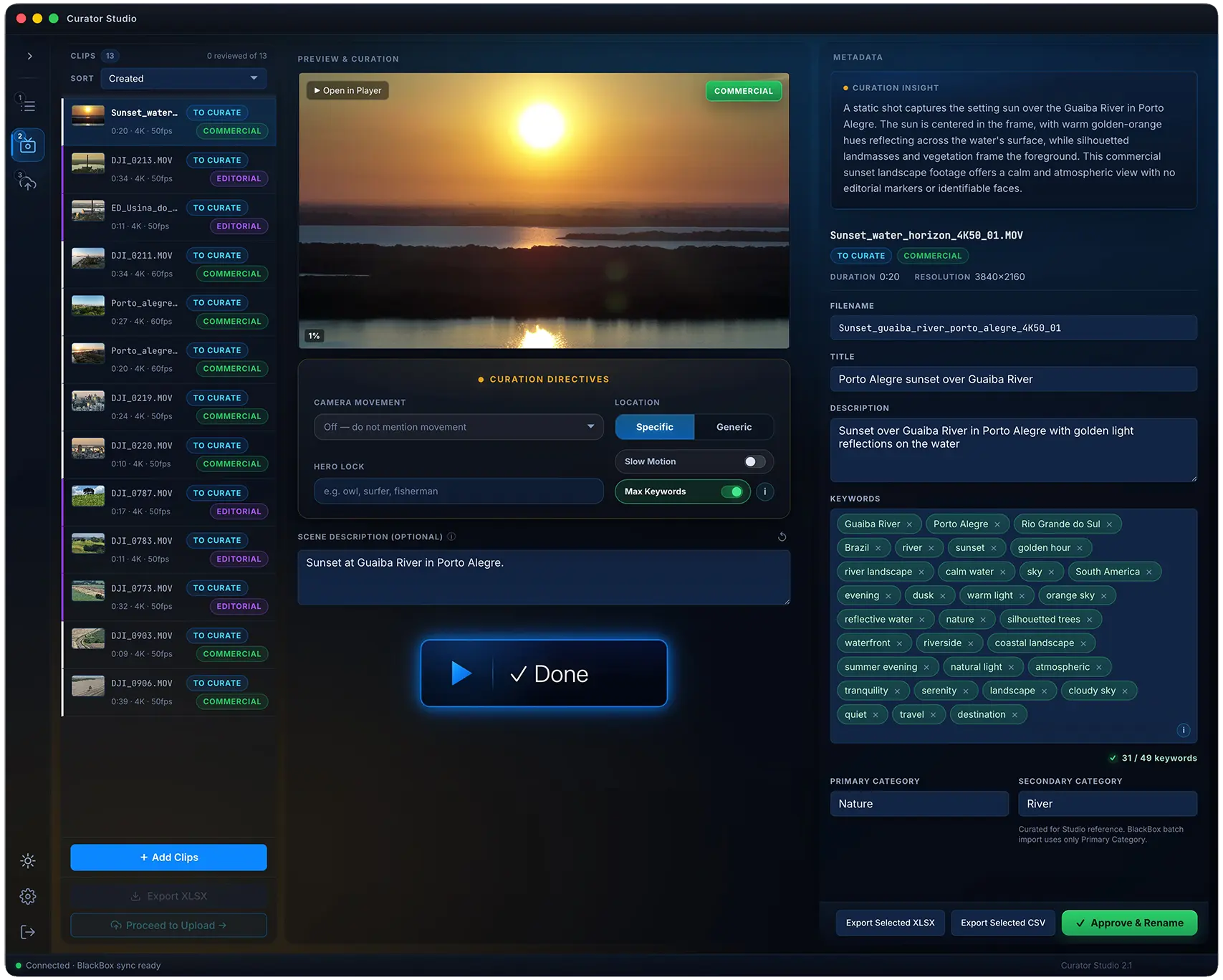
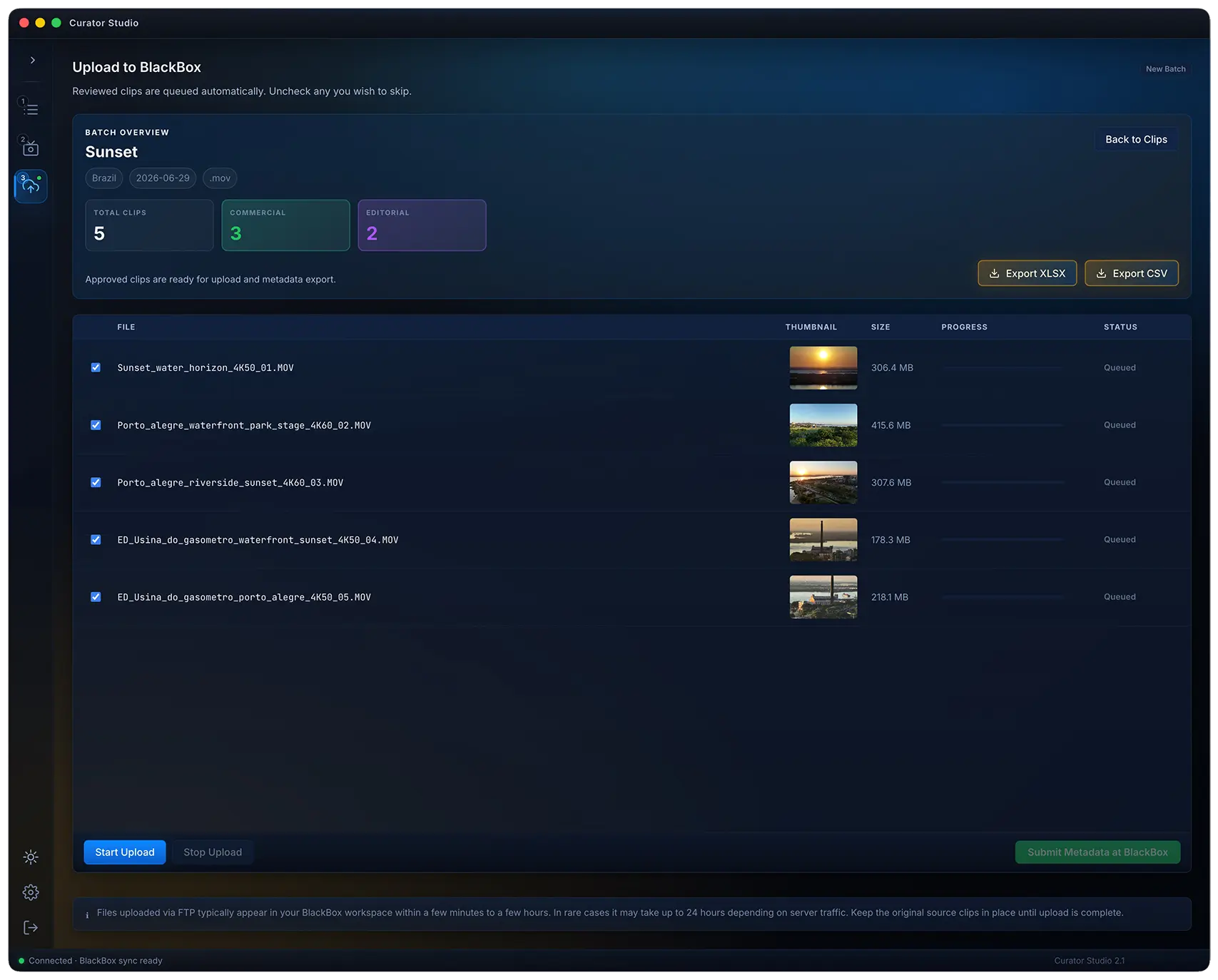

Review the clip, add a brief scene note, and let Curator Studio understand what matters in the footage.
AI-powered curation helps draft metadata with intent, so each video has a stronger chance to be understood, found, and selected inside stock footage libraries.
Download structured XLSX or CSV metadata for your submission workflow, then send the same curated video files directly to your BlackBox account.
Ready to try it?
No credit card required. Create your account, choose a plan, and download the desktop app when access is enabled.
Built for contributors
The AI helps draft metadata that matches the scene, but your judgment shapes the final result before anything moves forward.
Curator Studio keeps video filenames and metadata rows aligned, so each batch is easier to export, review, and send to your BlackBox account.
Designed for a stronger first pass: contributors can move up to 10x faster than a manual curation flow while keeping quality decisions in their hands.
BlackBox workflow
Curator Studio brings AI-assisted stock footage metadata, CSV/XLSX export, file renaming, and FTP video sending into one controlled desktop workflow for BlackBox contributors.
Delivery
Better metadata can help strong clips become easier to understand and easier to find. Curator Studio gives contributors a faster way to refine each batch without giving up control.
Desktop app
Install Curator Studio on Mac or Windows, sign in with your account, and keep your curation workflow ready whenever a new batch comes in.
Plans
Choose the clip volume that matches your BlackBox workflow. Every plan includes the desktop app, metadata export, and BlackBox video sending.
For testing the workflow
For regular weekly batches
For serious individual creators
For high-volume client workflows
FAQ
Curator Studio is a desktop application for BlackBox contributors. It is designed to optimize the contributor workflow, helping creators move much faster, generate high-quality metadata, and improve how their clips are indexed inside stock footage libraries.
Curator Studio supports BlackBox.global workflows with CSV/XLSX metadata export and FTP video sending, but Curator Studio is independent and not affiliated with BlackBox.global.
Yes. Curator Studio runs as a desktop app for Mac and Windows. You create an account, choose a plan, download the app, and sign in to start curating.
Yes. Every plan requires an account, including the Free plan. Your account controls your plan, clip limit, and access to AI-powered curation.
Yes. The Free plan gives you 5 clips per week. Starter, Studio, and Agency unlock higher monthly clip volume.
Yes. Curator Studio can send curated video files to your BlackBox account through FTP on every plan. To enable this, you enter your own BlackBox FTP credentials inside the desktop app. Those credentials stay safely on your computer and are not sent to Curator Studio servers.
No. Curator Studio exports structured CSV/XLSX metadata files. You upload those metadata files manually inside your official BlackBox contributor dashboard, keeping full control over the final submission.
Curator Studio uses a premium AI curation engine built with knowledge of BlackBox requirements, stock footage metadata, and marketplace discovery. It analyzes your video frames together with your scene notes and directives, then suggests titles, descriptions, keywords, and file names designed to keep each video aligned with its CSV/XLSX batch metadata.
Yes. The AI helps you move faster, but you review and approve the result. Curator Studio is designed for controlled curation, not blind automation.
Yes. On paid plans, unused monthly clips roll over for up to 2 months, so a slower month does not erase your clip budget.
Early access
Create an account, install the desktop app, and start with the free weekly clip limit when access opens.
 Download for Mac